
Now offering Telehealth Visits
The East Jordan and Bellaire Family Health Centers are proud to announce the new Telehealth Program in partnership with Luma Health. Our mission has always been “Your Health” and telehealth services will promote continued care when getting to your doctors office is a challenge.
Who:
Telehealth is available to any patient of the Bellaire and East Jordan Family Health Center.
What:
Our Health Center has partnered with Luma Health to provide a telehealth appointments using your smartphone or computer.
Where:
Telehealth is accessible from the comfort of your home or any private location with access to a smartphone or internet connected computer. There are no apps to install or special equipment to obtain.
When:
Telehealth appointments are scheduled in the same way traditional provider appointments are scheduled. You will receive a date and time.
How:
Using the contact information on file, Luma will confirm your appointment and provide reminders 24 hours, 30 mins and 5 mins prior to your appointment via text or email. Included in the reminder will be a link that will allow access to your appointment. You can also invite additional family members or caregivers to assist during your appointment.
A benefit to partnering with Luma Health is ease of use. There are not any new accounts to create or passwords to remember. Simply click on the link in your reminder to be taken to your telehealth appointment. Once you connect via your appointment link, a welcome screen will appear and may ask additional questions regarding your sound/ video quality and test your connection. When ready, your provider will join your session.
Though it may feel a little uncomfortable to be on video during your appointment, it is similar to an in person visit and allows your provider to gather the most amount of information regarding your concern.
Costs:
Most insurance companies are offering telehealth services during the COVID-19 outbreak. Contact your insurance provider regarding telehealth services. If you have questions regarding billing, contact our health center for more information.
The sliding fee discount will apply to telehealth services.
Why:
During this unprecedented time, it is important to take care of yourself. The East Jordan and Bellaire Family Health Center’s are dedicated to your health. We are here for you. Stay Healthy and stay engaged in your health.


Powered by lumahealth.

With support from Michigan Health Endowment Fund
Luma Telehealth Technical Questions?
Have questions about your Telehealth Visit?
Find out more.

Patient Guide
Do you have a telehealth appointment coming up with your health care provider soon?
Here’s what you can expect:
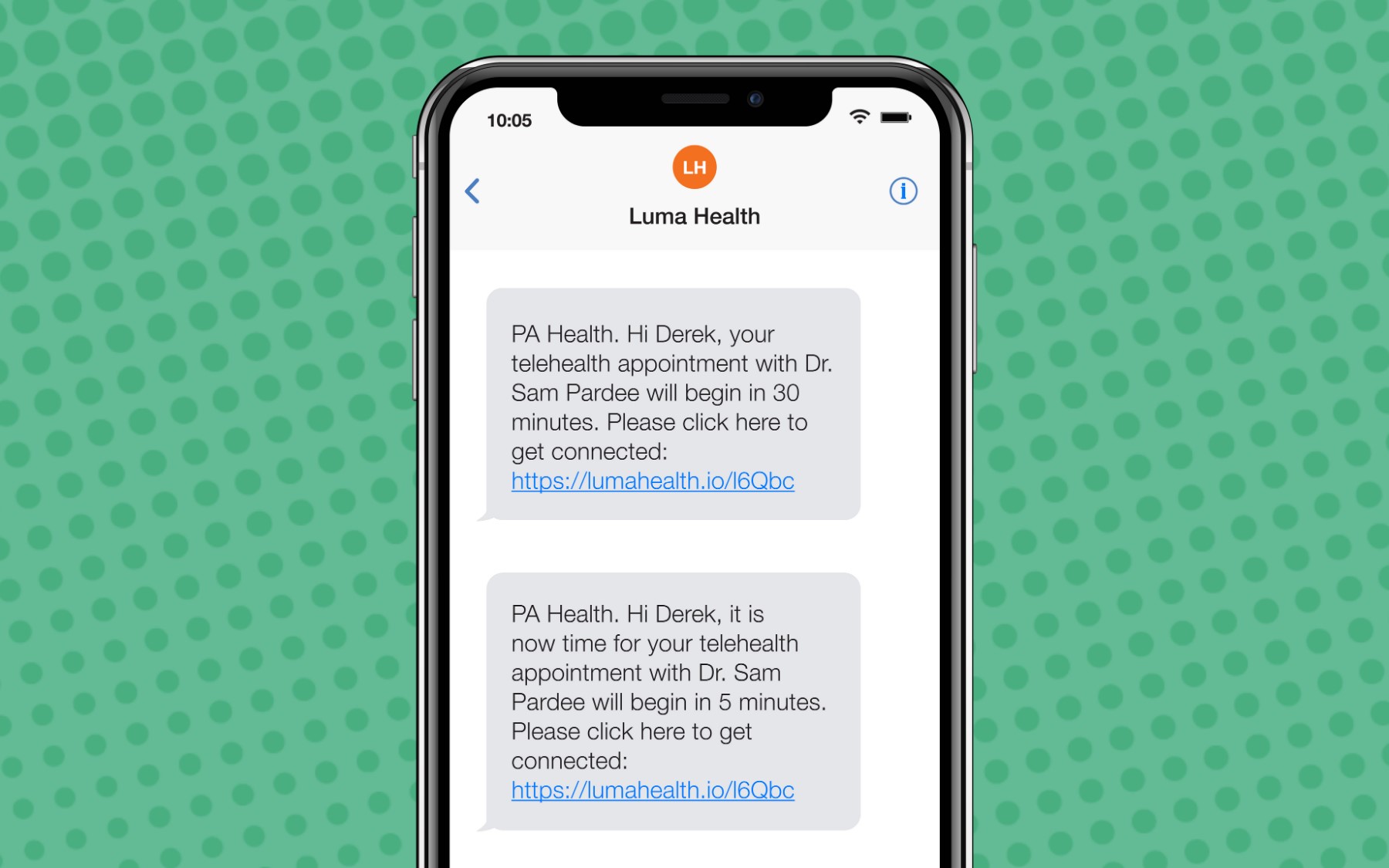
- 30 minutes before your appointment, you’ll receive a message with a link to the televisit room. When it’s time for your appointment, you’ll want to click on the link to get started.
- 5 minutes before your appointment, you’ll get the message again just in case you missed it the first time.

- Click the link to access your appointment! You will be placed in the virtual waiting room until the provider and/or care team enters the room.


Audio and Video Testing:
To make sure you have a great televisit with your health care provider, you’ll want to make sure that the camera and microphone on your device are set up and ready. Here’s a quick link that will run a series of diagnostics on your device to verify that you are ready for your televisit:
https://networktest.twilio.com/
Once all the tests pass, you will know that you are good to go.
If you don’t see a pop up asking for permission to access the camera and microphone, here’s how you’ll be able to enable permissions (skip to the section for the device/computer you are using):
Supported browsers:
| MacOS | Windows PC | iPad | iPhone | Android (phone/tablet) | |
| Safari | ✓ | ✓ | ✓ | ||
| Chrome | ✓ | ✓ | ✓ | ||
| Microsoft Edge | ✓ |
Desktop Chrome:
- Make sure you are not incognito mode.
- Open Chrome and select the Chrome menu, represented by three vertical dots in the top-right corner:

- Select Settings:

- Select Advanced at the bottom of the page:

- Under the Privacy and security section, select Site settings:
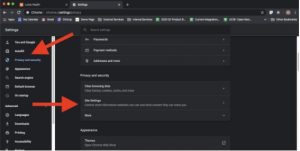
- Select either Camera or Microphone to access either setting:


Mobile Chrome:
- Make sure you are not in an incognito tab.
- To the right of the address bar, tap MoreSettings.
- Tap Site Settings:

- Tap Microphoneor Camera:
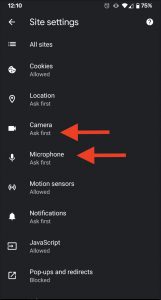
- Make sure that both microphone and camera are toggled on:


Desktop Safari:
- Make sure you are not in private mode.
- Click on Safari → Preferences
- In the websites tab, make sure you have “When visiting other websites:” set to “Ask”. You can use “allow” but for security, we generally advise people to select ask, so that a prompt will come up requesting permission on a per website basis:

- If Luma Health is under either Camera or Microphone, you’ll want to make sure it’s checked with permission.

Mobile Safari:
1. Make sure you are not in a private tab.
2. From the settings menu, scroll down to Safari:

3. Scroll down to Camera / Microphone:

4. Under Camera / Microphone, select “Ask”
